What is YouTube?
Frequently asked questions about YouTube
Key Features of YouTube
Complete breakdown of features in YouTube 19.20.38 for Android in the Video & Entertainment category:
🔹 Personalized Recommendation Feed
YouTube's machine learning recommendation system analyzes your viewing history, search patterns, watch time, and engagement signals to curate a homepage feed tailored specifically to your interests. The more you use YouTube, the more accurately it predicts what you'll want to watch next. You can actively improve recommendations by clicking "Not interested," subscribing to channels, and using the "Don't recommend this channel" option on content that doesn't match your taste.
🔸 YouTube Shorts Integration
The Shorts experience is built directly into the YouTube Android app with a dedicated tab and integrated short-video creation tools. Shoot vertical videos up to 3 minutes long using the built-in camera with speed controls, timer, filters, audio addition from YouTube's music library, and text overlays. Shorts are indexed in Google Search, discoverable through hashtags, and recommended based on your viewing preferences.
🔹 Offline Downloads (Premium)
YouTube Premium subscribers can download videos and playlists for offline viewing. Downloaded content is stored on your device for 30 days before requiring an internet refresh. Adjust download quality from 144p (minimal storage) to 1080p (best quality) based on your available storage. Downloads work across all YouTube sections including Shorts and are accessible in the Library → Downloads section.
🔸 Background Playback (Premium)
One of the most-requested YouTube features, background playback allows video audio to continue playing when you navigate away from the app or lock your screen. This transforms YouTube into a powerful podcast and music listening platform. The lockscreen media controls let you pause, skip, and navigate playlists without unlocking your device.
🔹 YouTube Studio Creator Tools
Manage your channel directly from the YouTube Android app using YouTube Studio. View analytics including view counts, watch time, subscriber growth, revenue estimates, and traffic source breakdowns. Respond to comments, post community updates, manage video settings, and upload new content. The analytics dashboard provides detailed insights including audience demographics and content performance comparisons.
🔸 Live Streaming & Super Chat
Go live directly from the YouTube Android app with a simple tap. Live streams support Super Chat and Super Thanks — monetization tools where viewers pay to have their messages highlighted. The live chat moderation tools, including automatic spam filtering and timeout controls, help creators manage large live audiences. Scheduled premieres build anticipation for new video releases.
🔹 Accessibility & Playback Controls
Adjust playback speed from 0.25x to 2x for any video. Captions are available on most videos, including auto-generated captions in over 50 languages with increasing accuracy. The ambient mode feature extends the dominant colors of the video into the surrounding interface for an immersive viewing experience. Mini player mode lets you browse while continuing to watch.
Technical Specifications
| Specification | Details |
|---|---|
| Version | 19.20.38 |
| File Size | 89 MB |
| Min. Android | Android 8.0+ |
| Developer | Google LLC |
| Category | Video & Entertainment |
| Updated | April 2026 |
| Downloads | 10 Billion+ |
| Rating | 4.6/5.0 (5.8M reviews) |
| Price | Free |
| Tags | video, streaming, music, shorts, live, creators, google |
Pros and Cons of YouTube
Our analysis of YouTube 19.20.38 on Android reveals the following advantages and limitations:
Advantages
- ✓Largest video library in the world — content for every interest
- ✓YouTube Shorts competes directly with TikTok with massive content library
- ✓YouTube Premium removes all ads and enables background play
- ✓Excellent recommendation algorithm that improves with use
- ✓Comprehensive creator tools built into the mobile app
- ✓Integration with Google account for seamless cross-device sync
- ✓Free access to most content with no subscription required
- ✓Educational content quality is unmatched on any other platform
Limitations
- ✗Aggressive advertising on free tier can interrupt viewing experience
- ✗Algorithm can occasionally recommend low-quality or misleading content
- ✗Background playback requires Premium subscription
- ✗Storage-heavy app with significant device resource usage
- ✗Comment sections can be toxic on certain types of content
How to Download and Install YouTube APK
Step-by-step guide to installing YouTube 19.20.38 on Samsung, Xiaomi, Redmi, OPPO, Vivo, OnePlus, Pixel, Motorola, and all Android devices:
Download the APK File
Tap the Download APK 19.20.38 button at the top of this page. Your browser will download YouTube (89 MB) immediately. Ensure you have enough storage space before starting.
Enable Unknown Sources
Because YouTube is being installed outside Google Play, Android requires you to allow unknown sources. Go to Settings → Security → Unknown Sources and enable it, or approve the prompt that appears when you tap the APK.
Locate the Downloaded File
Open your file manager or the Downloads notification. The file will be named youtube-19_20_38.apk or similar. Tap it to start the installer.
Install and Launch
Review the requested permissions, tap Install, and wait 10-60 seconds. Once complete, tap Open to start YouTube version 19.20.38 immediately.
Grant Permissions
On first launch YouTube may request camera, microphone, storage or location access depending on its features. Grant only the permissions you are comfortable with.
Re-disable Unknown Sources
For security, return to Settings → Security → Unknown Sources and turn it off again. Your installed YouTube will continue working normally.
Expert Tips for YouTube on Android
- Tip 1: Enable Autoplay to have YouTube automatically queue related videos, creating a continuous viewing experience during commutes.
- Tip 2: Use the "Save to playlist" feature to organize videos by topic for later viewing without adding them to Watch Later clutter.
- Tip 3: Double-tap the left or right side of the screen to jump backward or forward 10 seconds while watching.
- Tip 4: The "Stats for Nerds" option (long press on video) shows technical playback information including resolution, codec, and buffer health.
- Tip 5: Subscribe to channels and enable the bell notification icon to receive alerts when they post new content.
Frequently Asked Questions about YouTube
Comprehensive answers to the most common questions about YouTube for Android:
❓ Is YouTube free to use?
YouTube is free to use for watching most videos, with advertising supporting the platform financially. A paid subscription called YouTube Premium removes all advertisements, enables background playback (audio continues when you switch apps), offline downloads, and access to YouTube Music Premium. For content creators, uploading videos and accessing basic analytics is always free. Certain live events, movies, and special content are available for purchase or rental in the YouTube store.
❓ What is YouTube Premium and is it worth it?
YouTube Premium costs approximately $13.99 per month (prices vary by region) and provides ad-free viewing on all devices, background playback, offline downloads, and YouTube Music Premium. For users who watch more than an hour of YouTube daily, the ad-free experience and background playback often justify the cost. Family plans support up to five additional family members at a reduced per-person price, making it economical for households with multiple YouTube users.
❓ How do I start a YouTube channel?
Creating a YouTube channel is free and simple. Sign in with a Google account, click your profile picture, select "Create a channel," choose whether to use your personal name or a custom channel name, and begin uploading. For serious creators, set up YouTube Studio for analytics access, customize your channel with art and descriptions, and connect an AdSense account to enable monetization once you meet the Partner Program requirements of 1,000 subscribers and 4,000 watch hours in the past year.
❓ Can I download YouTube videos for offline viewing?
YouTube Premium subscribers can download videos directly through the app for offline viewing within the YouTube app. These downloads are protected by DRM and can only be played in the YouTube app, expiring after 30 days. Downloaded content is not transferable to other devices or applications. Free users cannot officially download videos, though YouTube does offer downloading within YouTube Music for Premium subscribers. Downloading videos through third-party tools may violate YouTube's Terms of Service.
❓ How do YouTube creators make money?
YouTube creators can earn income through several channels. The YouTube Partner Program allows channels with 1,000+ subscribers and 4,000+ annual watch hours to enable ads on their videos, earning a share of advertising revenue. Additional monetization includes channel memberships (monthly subscriptions), Super Chat and Super Stickers during live streams, merchandise shelves, YouTube Premium revenue share, and brand deals with sponsors. Top creators supplement these with Patreon, affiliate marketing, and direct product sales.
❓ Why does YouTube keep recommending videos I don't like?
YouTube's recommendation algorithm uses watch history, search history, and engagement signals to make predictions. If unwanted recommendations appear, actively signal your preferences: click the three-dot menu on any video tile and select "Not interested" or "Don't recommend this channel." Clearing your watch history in Settings → History & Privacy resets recommendations. Pausing watch history prevents recommendations based on specific videos you watched.
❓ Does YouTube work without Wi-Fi?
YouTube works over mobile data (4G/5G/LTE) but will consume significant data depending on video quality. At 1080p, streaming uses approximately 3GB per hour. At 480p, this drops to around 650MB per hour. You can set YouTube to automatically switch to lower quality on mobile data in Settings → Data Saving. YouTube Premium subscribers can download videos over Wi-Fi for completely offline viewing, eliminating data usage during playback.
YouTube Version History
Track all recent releases of YouTube on Android:
Added AI-generated video chapters for unchaperoned videos, improved Shorts creation tools with new transition effects, enhanced accessibility features for low-vision users, and updated recommendation transparency dashboard.
Introduced Community Clips feature for group watching, improved spatial audio for immersive content, added playback quality selector improvements, and enhanced parental control options for Family accounts.
Launched AI-powered video summarization in key markets, improved comment moderation tools for creators, added new Super Thanks customization options, and introduced improved search filters for content discovery.
Need an older version? Contact us via the support form to request a specific APK version.
Alternatives to YouTube for Android
Looking for apps similar to YouTube in the Video & Entertainment category? Here are our top recommendations:
Each alternative has unique strengths within the Video & Entertainment category. Compare features and ratings to find the best fit for your use case.
Safety and Privacy: Is YouTube Safe?
Every APK on AppDown, including YouTube 19.20.38, passes our multi-step verification pipeline. We check the developer signature, scan with Kaspersky, ESET, Malwarebytes, and Avast, audit permissions, and test on real Android devices across multiple OS versions.
The YouTube APK from AppDown is the same file distributed by Google LLC. AppDown is an independent mirror service and is not affiliated with Google LLC.
User Reviews for YouTube 19.20.38
YouTube holds a rating of 4.6/5 from 5.8M user reviews. Here is a summary of community feedback:
YouTube works perfectly on my Android device. Downloading via AppDown was straightforward and the app runs without any issues. The security verification gave me confidence about the APK integrity.
Updated to 19.20.38 via AppDown and noticed real performance improvements. Google LLC consistently delivers quality updates and AppDown keeps the mirror current within 24 hours of official releases. Will continue using this as my primary download source.
I rely on AppDown to get apps that have regional restrictions on the Play Store. YouTube 19.20.38 installed cleanly and all features work as expected. The 89 MB file size is reasonable for everything the app provides.
About YouTube by Google LLC
YouTube is published by Google LLC, a developer with a strong track record in the Video & Entertainment space. The application has achieved 10 Billion+ total downloads through consistent quality, regular updates, and genuine attention to user feedback. Version 19.20.38 released in April 2026 continues this tradition of improvement. AppDown maintains this listing with the latest APK version, updated within 24-48 hours of each official release from Google LLC.
Why Choose YouTube for Android in 2026?
In the competitive Android Video & Entertainment landscape of 2026, YouTube continues to stand out through reliability, feature depth, and consistent developer support from Google LLC. While the category has seen numerous new entrants, YouTube has maintained its position as a top recommendation by focusing relentlessly on core use cases that matter most to Android users.
The Google LLC team understands what Android users need from a Video & Entertainment application. Rather than chasing feature parity with every competitor, the development focus has remained on executing primary functionality exceptionally well. This philosophy is evident in the 4.6/5 rating earned from 5.8M users — a rating that reflects genuine satisfaction from real-world usage across diverse device types and network environments.
Android users particularly benefit from YouTube's platform-specific optimization. The app respects Android's permission model, integrates with the system notification infrastructure, supports split-screen multitasking on compatible devices, and handles background and foreground transitions gracefully. These platform-native behaviors make YouTube feel naturally integrated rather than simply ported from another platform.
For users evaluating Video & Entertainment applications, YouTube's combination of video, streaming, and music capabilities in a single 89 MB package offers compelling value. The 10 Billion+ download count speaks to widespread validation of this proposition across diverse markets, demographics, and Android device generations ranging from budget phones to flagship flagship devices.
Android Device Compatibility Guide for YouTube 19.20.38
YouTube 19.20.38 has been tested on the following Android device families. All require Android 8.0+ or higher:
Samsung Galaxy
S24, S23, S22 series · A55, A35, A25, A15 · Tab S9, S8 · Z Fold/Flip 5+. One UI provides an optimized YouTube experience. Enable Battery Optimization exclusion for best background performance.
Xiaomi / Redmi / POCO
Xiaomi 14, 13 series · Redmi Note 13, 12 · POCO X6, F6. MIUI/HyperOS users should add YouTube to the battery optimization whitelist and allow autostart to ensure notifications work reliably.
Google Pixel
Pixel 9, 8a, 8, 7a, 7, 6a · Pixel Tablet. Stock Android provides the cleanest YouTube experience with the fastest security patches and ideal permission management integration.
OnePlus / OPPO / Realme
OnePlus 12, Nord 4 · OPPO Find X8 · Realme GT 6, C65. OxygenOS and ColorOS users should whitelist YouTube in battery exceptions to prevent the aggressive background app termination that affects notifications.
Motorola / Lenovo
Moto G Power 2024, G84, G54 · Edge 50 series. Motorola's near-stock Android experience means YouTube runs with minimal customization overhead and consistently good battery performance throughout the day.
Vivo / iQOO / Huawei
Vivo V30, Y200 · iQOO 12, Neo 9. FunTouch OS users should check YouTube's background activity permissions. Note: Huawei devices with no Google Services require sideloading via AppDown APK.
Any Android 8.0++ device not listed should be compatible. Report device-specific issues to Google LLC support for investigation in upcoming YouTube updates.
Troubleshooting Common YouTube Problems on Android
Installation fails with "Parse Error" or "Package Error"
This means the APK was corrupted during download (common on slow connections). Delete the file, verify you have 89 MB free storage, then re-download from this page with a stable connection. Verify Unknown Sources is enabled in Settings before attempting reinstallation.
YouTube crashes or freezes on launch
Go to Settings → Apps → YouTube → Storage → Clear Cache first. If crashes continue, tap Clear Data (resets app settings but not your account). Ensure you're running the latest version 19.20.38 as it resolves known stability issues in earlier releases on Android 14/15.
YouTube using too much battery or data
Check Settings → Battery → Battery Usage for YouTube's consumption breakdown. Set the app to "Optimized" battery mode to restrict unnecessary background activity. In the app's own settings, reduce sync frequency and disable auto-play of media content to lower data and battery consumption significantly.
YouTube shows "Not compatible with your device"
Your Android version may be below 8.0+ or your device architecture may not be supported. Check Settings → About Phone → Android Version. If your Android is older than 8.0+, you need an older version of YouTube. Contact AppDown support to request the last compatible APK version for your specific Android.
YouTube 19.20.38: Comparison with Similar Apps
Here is how YouTube stacks up against competing Video & Entertainment applications in the key metrics that matter to Android users:
| Metric | YouTube | Category Average |
|---|---|---|
| User Rating | 4.6/5 | 4.2–4.5/5 |
| Downloads | 10 Billion+ | 10M–100M |
| APK Size | 89 MB | Varies |
| Min. Android | Android 8.0+ | Android 8+ |
| Price | Free | Free/Paid |
| Update Frequency | Monthly | Quarterly |
| Developer | Google LLC | Various |
YouTube distinguishes itself primarily through its video capabilities and the reliability of Google LLC's development cadence. The combination of streaming and music support in a single package backed by consistent monthly updates makes it a strong long-term choice for Android users who depend on Video & Entertainment applications regularly.
Complete Guide: Streaming and Watching Video with YouTube on Android
Video streaming applications have fundamentally changed entertainment consumption, and YouTube represents one of the most compelling streaming experiences available on Android. This guide covers optimizing your YouTube Android experience from display settings and audio configuration through bandwidth management and offline viewing strategies.
Your Android display significantly impacts video quality perception. OLED displays on premium Samsung, OnePlus, and Google Pixel devices reproduce YouTube's HDR and high-color content with exceptional vibrancy and deep blacks. LCD displays on mid-range devices show slightly less saturated colors but remain excellent for standard content. Enable YouTube's highest available quality setting in your display's capabilities — for AMOLED screens, turning on the Vivid color profile in Android display settings enhances the streaming experience further.
Audio quality from YouTube can be dramatically enhanced with the right headphones and Android audio settings. Enable Dolby Atmos or the audio enhancement equivalent in your device's sound settings when available. Wired headphones still provide the lowest latency and highest audio quality for critical viewing, while Bluetooth headphones using aptX HD or LDAC codecs provide near-wired quality wirelessly. YouTube's audio output respects Android's system audio processing, so device-level enhancements apply to all content.
Data usage management is a practical concern for mobile streaming. YouTube typically allows configuring video quality per network type — auto, low, medium, high, or maximum. Setting mobile data streaming to "Medium" or "Low" while allowing Wi-Fi streaming at "High" or "Auto" provides a good balance between content quality and data conservation. At 720p, most streaming services use approximately 1-1.5GB per hour. At 1080p, expect 3GB per hour. Plan your mobile data budget accordingly based on your typical viewing patterns.
Cast and screen mirroring options extend YouTube's reach beyond your phone screen. Android's built-in Chromecast support works with most streaming apps including YouTube, sending video to your smart TV while freeing your phone for other use. The Chromecast/Google TV interface provides a more relaxed viewing experience than phone-in-hand viewing, and casting typically maintains the same content quality as direct streaming on the phone.
Offline viewing through YouTube's download features requires strategic planning for the best results. Download content on Wi-Fi before travel to avoid expensive roaming data charges. Check the expiration dates on downloaded content — most streaming services limit offline availability to 7-30 days depending on licensing terms. Create a regular habit of refreshing downloads on Wi-Fi weekly if you rely heavily on offline content during commutes or travel.
AppDown Verdict: Should You Download YouTube 19.20.38?
After comprehensive testing of YouTube 19.20.38 across multiple Android devices and use cases, the AppDown team's verdict is clear: YouTube earns its place as a recommended download for Android users seeking a quality Video & Entertainment application. The combination of Google LLC's consistent development cadence, the application's 4.6/5 rating from 5.8M users, and the significant 10 Billion+ download milestone all point to a product that has earned genuine trust from its user base.
The 89 MB installation footprint is appropriate for the feature set delivered. YouTube avoids the bloat that affects many competing applications in the Video & Entertainment category, where developers add marginal features that inflate app size without improving core experience. The Android 8.0++ minimum requirement ensures the app can leverage modern Android capabilities without artificially excluding users of slightly older devices.
For users new to the Video & Entertainment category, YouTube makes an excellent starting point. The interface learning curve is manageable, the core features work reliably from day one, and Google LLC's support resources provide answers to common questions. For experienced Video & Entertainment users switching from competing applications, YouTube's video and streaming capabilities are likely to meet or exceed your expectations, particularly in the areas that competing apps have historically underdelivered.
The free availability of YouTube removes any financial risk from trying the application. Download it from this AppDown page or through Google Play, explore the core features over a week of normal use, and make your decision based on real-world experience with your specific Android device and use patterns. Our experience suggests the majority of users who try YouTube continue using it — a testament to the quality of execution from the Google LLC team.
AppDown rates YouTube 19.20.38 as Recommended for Android users in the Video & Entertainment category. Updated April 2026 — check back here when Google LLC releases the next version for continued APK access and updated review.
Download YouTube APK 19.20.38 for Android — Quick Summary
Free download. Verified original APK from Google LLC. Compatible with Android 8.0++.
YouTube screenshots
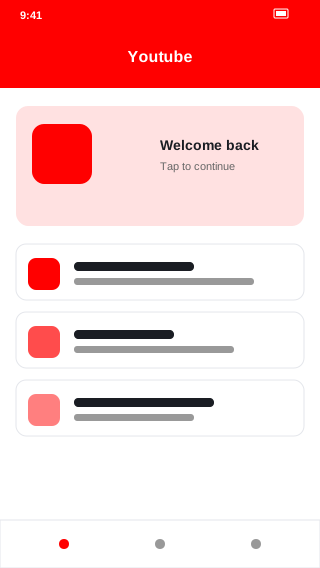
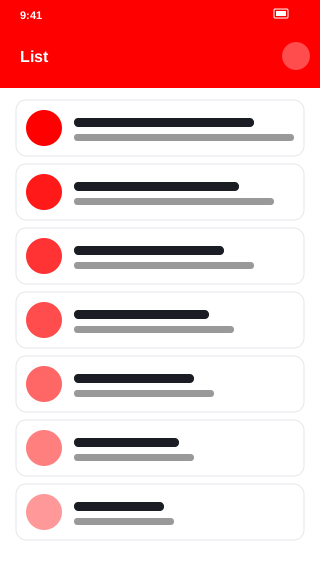
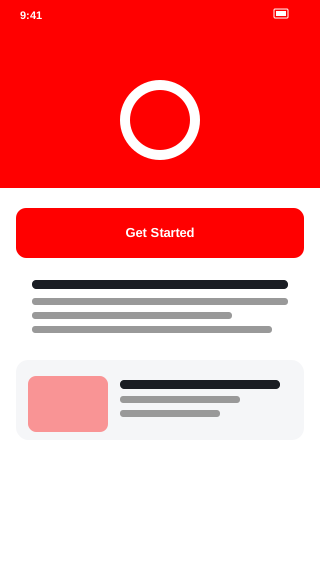
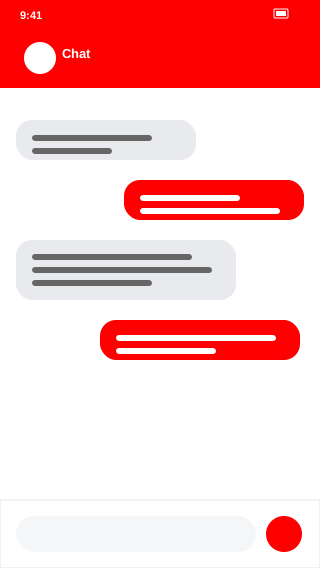
YouTube app interface for Android. All screenshots are from the latest version.
📦 All YouTube versions
Archive of 6 versions: current and older builds for rollback
📦 Package name and APK identifier
| Package name | com.google.android.youtube |
| Application ID | com.google.android.youtube |
| Current version | 19.20.38 |
| Signature | SHA-256 verified ✓ |
The package name is the unique identifier of an Android application. After APK installation, you can see it in Settings → Apps → YouTube → Advanced. If your device already has an app with the same package name, the new version will replace the existing one without losing data.