What is CANAL+?
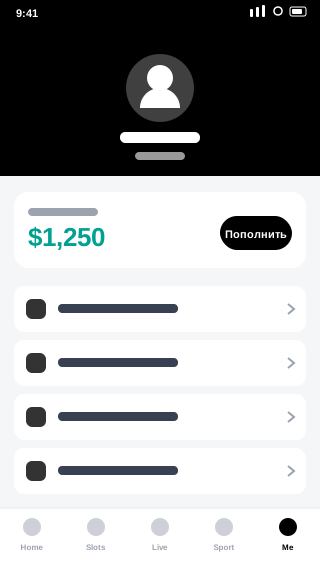
CANAL+ is a streaming service with films, series and live sport — including Polish Ekstraklasa and Premier League football.
✅ Official source: the button opens the CANAL+ listing on Google Play. You install directly from the developer CANAL+ Polska.
Key features
- Live Ekstraklasa and Premier League
- CANAL+ films and series
- Linear channels
- Offline downloads
How to install CANAL+ on Android
Installation takes a couple of minutes and requires no changes to your phone settings.
Step 1: Open the app listing
Tap the download button above — the official CANAL+ page on Google Play opens, sourced from the developer CANAL+ Polska.
Step 2: Install
On the Google Play page tap Install. The app downloads and installs automatically.
Step 3: Launch
After installation tap Open or find the CANAL+ icon. You may need to sign in on first launch.
Requirements
| Parameter | Value |
|---|---|
| Android | 8.0+ |
| Size | 80 MB |
| Developer | CANAL+ Polska |
Frequently asked questions about CANAL+
Is CANAL+ free to download? ▲
Yes. CANAL+ is free, and AppDown charges nothing for the redirect or installation. The app itself may include paid features or subscriptions — that depends on the developer CANAL+ Polska.
Is it safe to install CANAL+ from this page? ▼
Yes. The button on this page opens the official CANAL+ listing on Google Play, so the app installs directly from the developer CANAL+ Polska. We do not host or modify APK files.
How is this page different from Google Play? ▼
We gather app information in one place: description, requirements, size and similar apps. It helps you decide whether CANAL+ suits you. Installation itself happens through official Google Play.
How do I update CANAL+? ▼
Updates arrive automatically through Google Play if auto-updates are enabled. You can also check manually in Google Play under pending updates.
Which Android version does CANAL+ require? ▼
The minimum is Android 8.0. It will not install on older versions.
How much space does CANAL+ take? ▼
The install size is about 80 MB. It grows over time due to cache and user data. Clear cache in settings: Apps → CANAL+ → Storage.
Summary
Download CANAL+ for free on AppDown.